Brokers
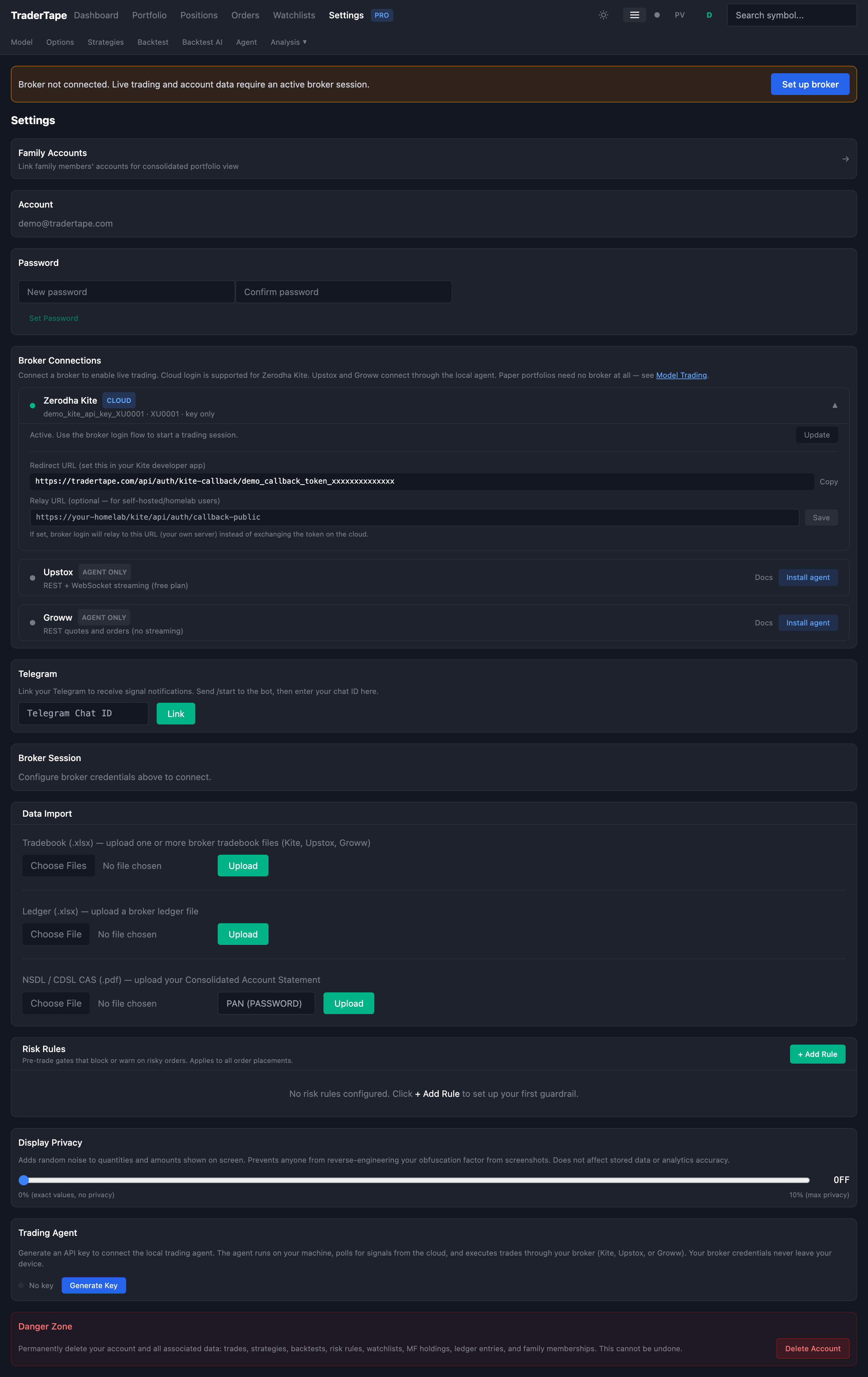
TraderTape supports four Indian retail brokers: Zerodha Kite, Upstox, Groww, and ICICI Direct. The first three connect via Browser Login — your API secret stays on your device. ICICI Direct requires cloud-stored credentials (Class 0 only). This document covers the differences, privacy characteristics, and operational details.
For a quick setup, use the Connect a Broker quickstart.
Comparison
| Feature | Zerodha Kite | Upstox | Groww | ICICI Direct |
|---|---|---|---|---|
| Login method | Browser (redirect) | Browser (redirect) | Browser (instant) | Cloud (redirect) |
| API secret privacy | Never in transit | In transit once (not stored) | Never in transit | Stored encrypted on cloud |
| User class | Class 1 (default) | Class 1 (default) | Class 1 (default) | Class 0 (admin/family) |
| GTT orders | Full native | Full native | Native (smart orders, equity GTT only) | Full native |
| WebSocket streaming | Yes | Yes (not yet integrated) | No (REST polling) | Yes (not yet integrated) |
| Session duration | ~14 hours | ~14 hours | ~14 hours | ~14 hours |
| Rate limits | Liberal | Liberal | Liberal | 100/min, 5K/day |
| Market orders | Yes | Yes | Yes | No (limit only) |
| API cost | Free (Rs 500/mo for streaming/historical) | Free | Free | Free |
| Developer portal | developers.kite.trade | account.upstox.com | Groww API portal | api.icicidirect.com |
How Browser Login works
Browser Login is the default connection method for Kite, Upstox, and Groww. The flow varies slightly per broker but the privacy guarantee is the same: we never store your API secret.
Zerodha Kite
- You click "Begin Browser Login" in Settings
- The cloud marks your account as waiting
- A new tab opens the Kite OAuth login page
- You log in on Kite's site
- Kite redirects to our callback URL with a
request_token - The cloud captures the
request_tokenand notifies your browser tab - Your browser computes
SHA256(api_key + request_token + api_secret)locally - Only the checksum (not the secret) is sent to our server
- Our server forwards the checksum to Kite, which returns an
access_token - We store the
access_token(~14h) so the scanner and dashboard can work
The api_secret never leaves your browser. The checksum is one-way and useless without the single-use request_token.
Upstox
Same redirect flow as Kite, but Upstox's token exchange endpoint requires the api_secret as a raw POST field (not a checksum). Our server sees the secret in transit during this one call but never stores or logs it. Once the exchange is complete, the secret is discarded from memory.
Groww
Groww uses TOTP-based authentication — no browser redirect, no daily manual approval. You configure a TOTP secret on the Groww API portal, paste it into TraderTape's login form, and your browser generates the current 6-digit code locally. Only the code crosses the network — same privacy guarantee as the TOTP code in any 2FA app.
Groww also supports an "approval" flow (api_secret + SHA256(secret + timestamp)) but it requires manual approval on Groww's portal every morning at 6 AM IST, making it impractical for automated trading. TraderTape uses TOTP exclusively.
ICICI Direct (Breeze API) — Class 0 only
ICICI Direct works differently from the other three brokers. Every API call requires a per-request checksum computed as SHA256(timestamp + payload + secret_key). This means the secret must be stored on our server — it cannot stay in your browser.
How it works:
- You save your API key and API secret in Settings (secret is Fernet-encrypted at rest)
- You click "Login to ICICI Direct" — a new tab opens the ICICI login page
- After login, ICICI redirects back with an
api_session - Our server uses the stored secret to exchange the
api_sessionfor asession_token - For every subsequent API call, our server computes the SHA-256 checksum using the stored secret
Why Class 0 only: Because the secret lives on our server, this integration is restricted to admin users and family members with allow_cloud_credentials enabled. Regular Class 1 users cannot use ICICI Direct.
Other ICICI limitations:
- No market orders — only limit orders are permitted via the Breeze API
- Rate limits — 100 API calls/minute, 5,000/day (tighter than other brokers)
- Static IP required — ICICI requires a registered static IP at app creation time. Our cloud server's IP is registered.
- GTT supported — full native GTT with single trigger and OCO (target + stoploss), up to 300 active
Multiple brokers
You can connect all three brokers simultaneously. The dashboard shows per-broker tabs:
- Dashboard — positions and holdings per broker
- Positions page — detailed positions with P&L per broker
- Orders page — orders and GTTs per broker
Each model portfolio is tied to one broker at deployment time. You choose which broker places orders for that portfolio.
Session management
Expiry and re-login
Broker sessions expire after ~14 hours. When a session expires:
- The scanner pauses auto-placement for affected portfolios
- The dashboard shows cached snapshot data (from the last successful fetch)
- A Telegram nudge is sent: "Your Kite session expired — tap to re-login"
- Re-login takes ~5 seconds (paste API secret or let your password manager fill it)
Per-broker sign-out
Settings → Broker Sessions shows all connected brokers. Each has an individual Sign out button. There's also a "Sign out all" button when multiple brokers are connected.
Signing out of one broker does not affect others.
GTT execution
All cloud-driven order execution uses GTT (Good-Till-Triggered) orders. GTT placement is exempt from SEBI's static-IP requirement because the actual order fires from the broker's infrastructure, not from your IP or ours.
This means you don't need a static IP to trade via TraderTape. GTT-only execution is a deliberate architectural choice, not a limitation.
For Groww (which has no native GTT), TraderTape uses SL-LIMIT orders as the closest equivalent. These are day orders only — they expire at end of day if not triggered.
Admin/Family cloud login (Class 0)
Admin users and family members approved by the admin can store their api_secret on the cloud (encrypted at rest). This enables:
- One-click cloud login (no API secret paste needed)
- Immediate market order placement
- Full automation without a browser tab
This mode is restricted because SEBI's algo trading rules only permit IP sharing within family units. Regular users use Browser Login.
The local agent (optional)
The local agent is not required for any broker. Browser Login handles everything for most users. The agent adds:
- Trade data obfuscation — scaled quantities in cloud uploads
- Headless operation — runs without a browser tab
- SEBI-compliant immediate orders — orders from your own IP
See the Local Agent guide for setup details.
Next
- Privacy Model — detailed security analysis
- Model Trading — deploying strategies for live execution
- Local Agent — the optional power-user tool